

WordPress AI Analytics Plugin System
WordPress AI Analytics Plugin PulseRank identifies AI-driven visits, reveals what’s sending traffic, and helps visibility for AEO & GEO.

90+
Bots Types

90+
Referrers

AEO & GEO
Optimization

E-Commerce
AI Reporting
Everything You Need in One Plugin
9 powerful modules working together to give you complete AI visibility with PulseRank, #1 WordPress AI Analytics Plugin.

Bot Detection Engine
PulseRank identifies 90+ bots so you know what’s real traffic and what’s automated.

AI Referral Attribution
Track 90+ platforms and understand which pages people land on and what they do next.

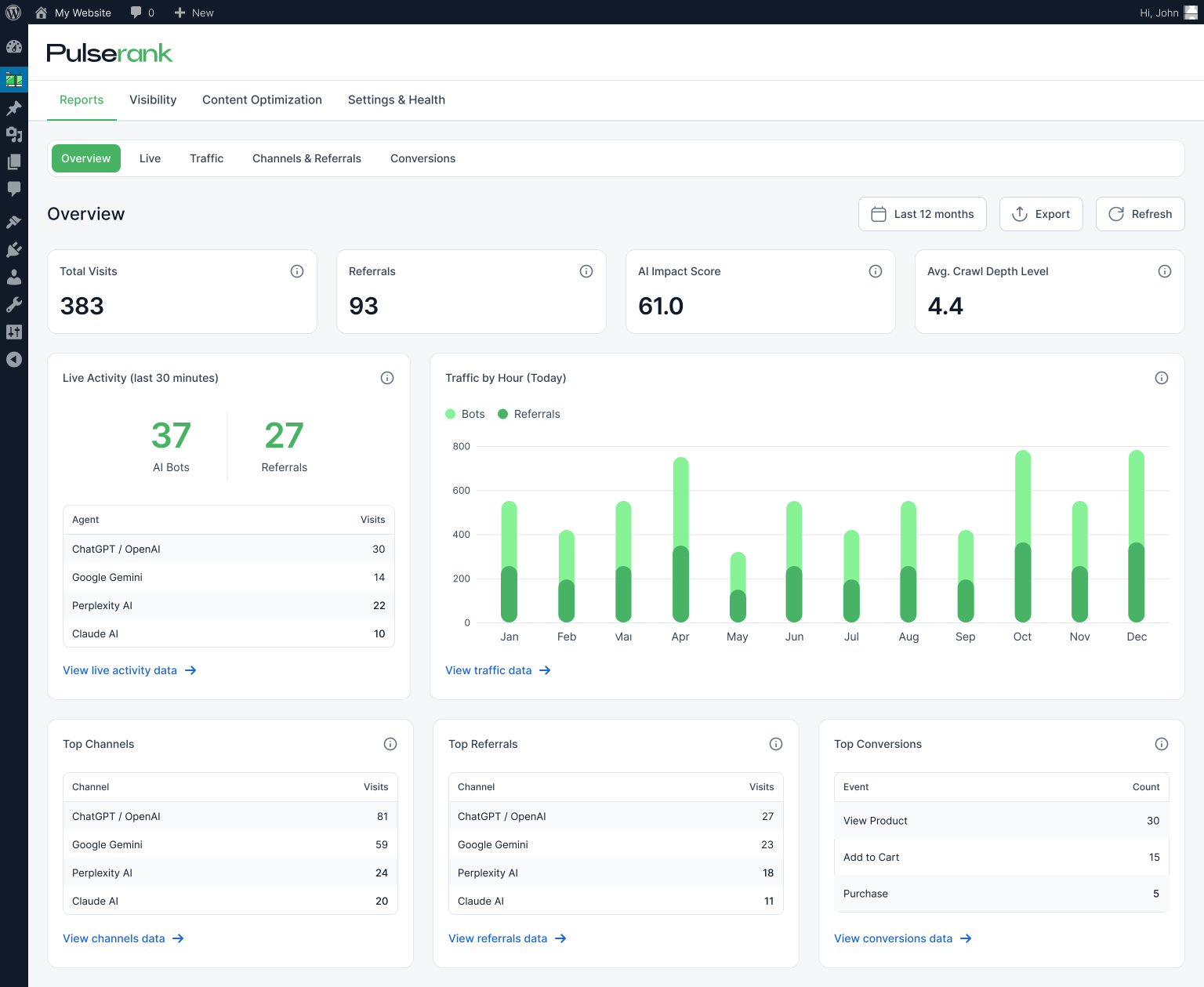
AI Analytics Dashboard
Top sources, trends, crawl activity, and much more to quickly see if you’re improving.

AEO & GEO Optimization
Improve your AEO & GEO with our WordPress AI Analytics Plugin across 50+ Checks.

WooCommerce
See how AI traffic turns into sales and view AI-attributed revenue in your reports.

View All Features
Stop paying for multiple tools. PulseRank brings everything into one plugin.
Up and Running in Minutes
No complicated setup. No extra tools. Install PulseRank and you’ll start seeing AI insights right away.

Install PulseRank
Create your PulseRank account, add your website, and install the plugin on WordPress.
See AI Traffic Automatically
PulseRank starts tracking AI visits and where they come from with no manual configuration.
Improve Your AI Visibility
Get clear, practical suggestions to help your pages show up more often in AI answers and recommendations.

Track What’s Working
Watch your AI traffic and referrals grow over time, and see which pages perform best.
For Teams Who Need WordPress AI Analytics
Whether you run one website or manage many, the PulseRank WordPress AI Analytic Plugin gives you the visibility you need and grows with you.

See 40% more traffic sources
Publishers & Media
Understand how AI platforms discover your articles, which pages they reference, and how that attention turns into real readers visiting your site.
Save $500+/month in tools
Small & Medium Business
See exactly when AI assistants send people to your website, which pages they land on, and what to improve to earn more visibility.

E-Commerce
Track how AI-driven visitors move through your store, which pages influence buying decisions, and how much revenue is connected to AI referrals.

Scale across clients
Agencies
Manage AI visibility across unlimited client sites, keep reporting consistent, and quickly show progress with clear insights your clients can understand.
Frequently Asked Questions
We’ve anticipated your concerns and engineered solutions for each one.
PulseRank is a WordPress AI Analytics Plugin built to track AI-driven traffic with clarity.
It identifies 90+ bot types (including GPTBot, ClaudeBot, and PerplexityBot) and stores the data directly in your WordPress database.
PulseRank uses a two-step approach to spot AI bots, combining server-side checks with browser-based JavaScript so detection still works even when pages are cached.
Bots are validated using user-agent signals, official IP ranges, reverse DNS checks, and behavior patterns across multiple bots categories.
No. PulseRank is built to stay lightweight and fast, using 7 purpose-built database tables and smart data summarization.
It also works smoothly with popular caching plugins like LiteSpeed, WP Rocket, and W3 Total Cache, so for most sites load times remain unchanged.
Yes. Your data stays on your site. PulseRank stores analytics locally in your WordPress database with no external dashboards and no data sent to third parties.
It’s GDPR-ready with IP hashing, export/delete tools, and configurable data retention controls.
PulseRank tracks referrals from 90+ platforms using including ChatGPT, Claude, Perplexity, Google Gemini, and more.
Detection rules are updated regularly as new AI tools and sources appear.
Yes. PulseRank runs alongside Google Analytics, Plausible, and other analytics tools without conflict.
Many site owners use both Google Analytics for traditional reporting and PulseRank for AI-specific visibility and attribution.
Stop Guessing. Start Measuring.
Join WordPress sites already using PulseRank to uncover their AI traffic and optimize for the future of search.